Getting started with FormulaGuard
Check your formula against banned and restricted substance databases before you commit.
Getting started with FormulaGuard
FormulaGuard checks an ingredient list — your formulation — against banned, restricted, and scheduled-substance databases across the markets you sell into, before you commit to a recipe or a label. Paste your ingredients, pick your markets, and see which ones carry regulatory risk and why. This guide walks you through a check and how to read it.
Before you start
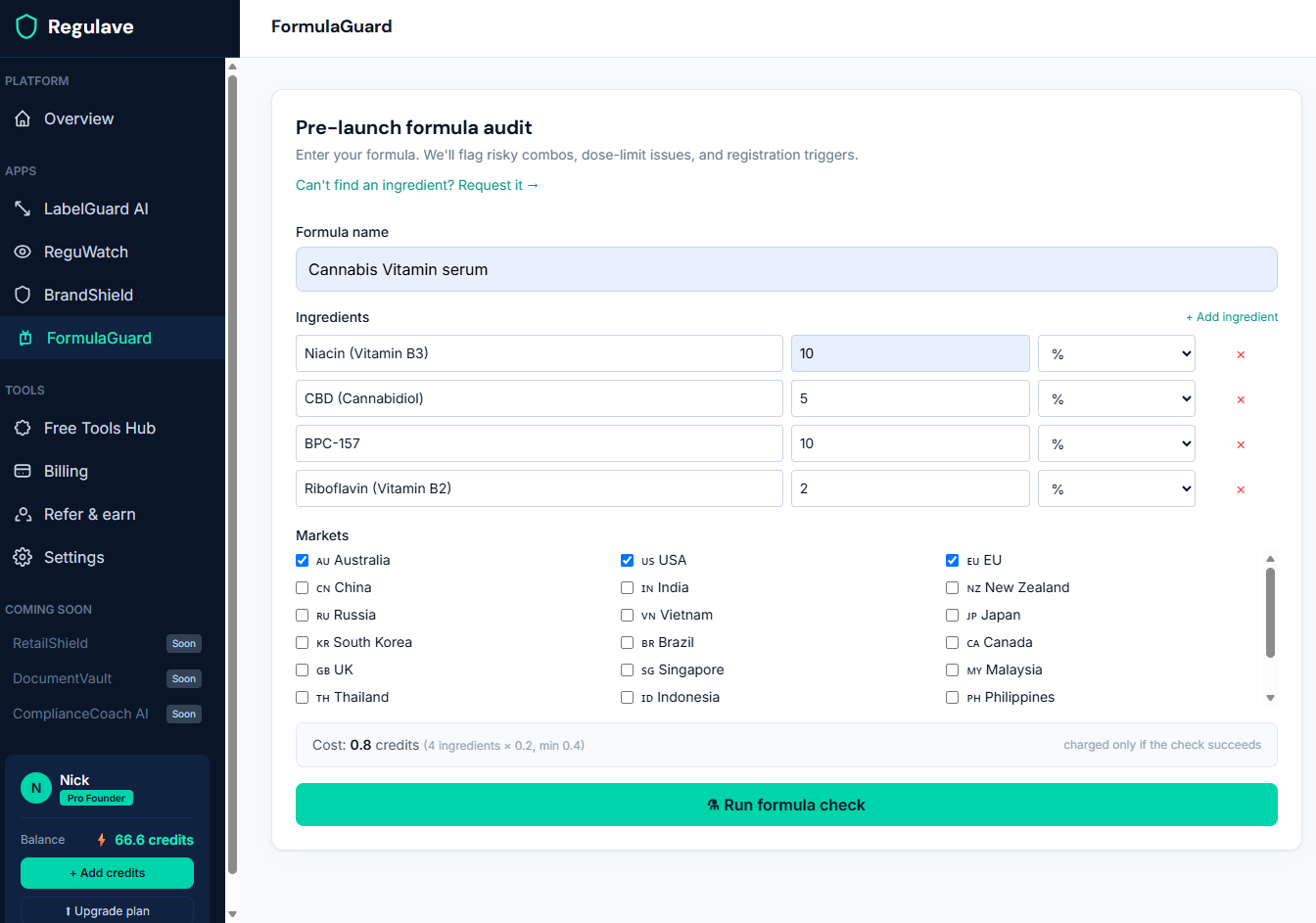
You'll need your ingredient list — the substances in your formulation, ideally with doses if you have them. You can paste them in. A check costs 0.2 credits per ingredient (minimum 0.4), shown before you run it.
Step 1 — Open FormulaGuard and paste your ingredients
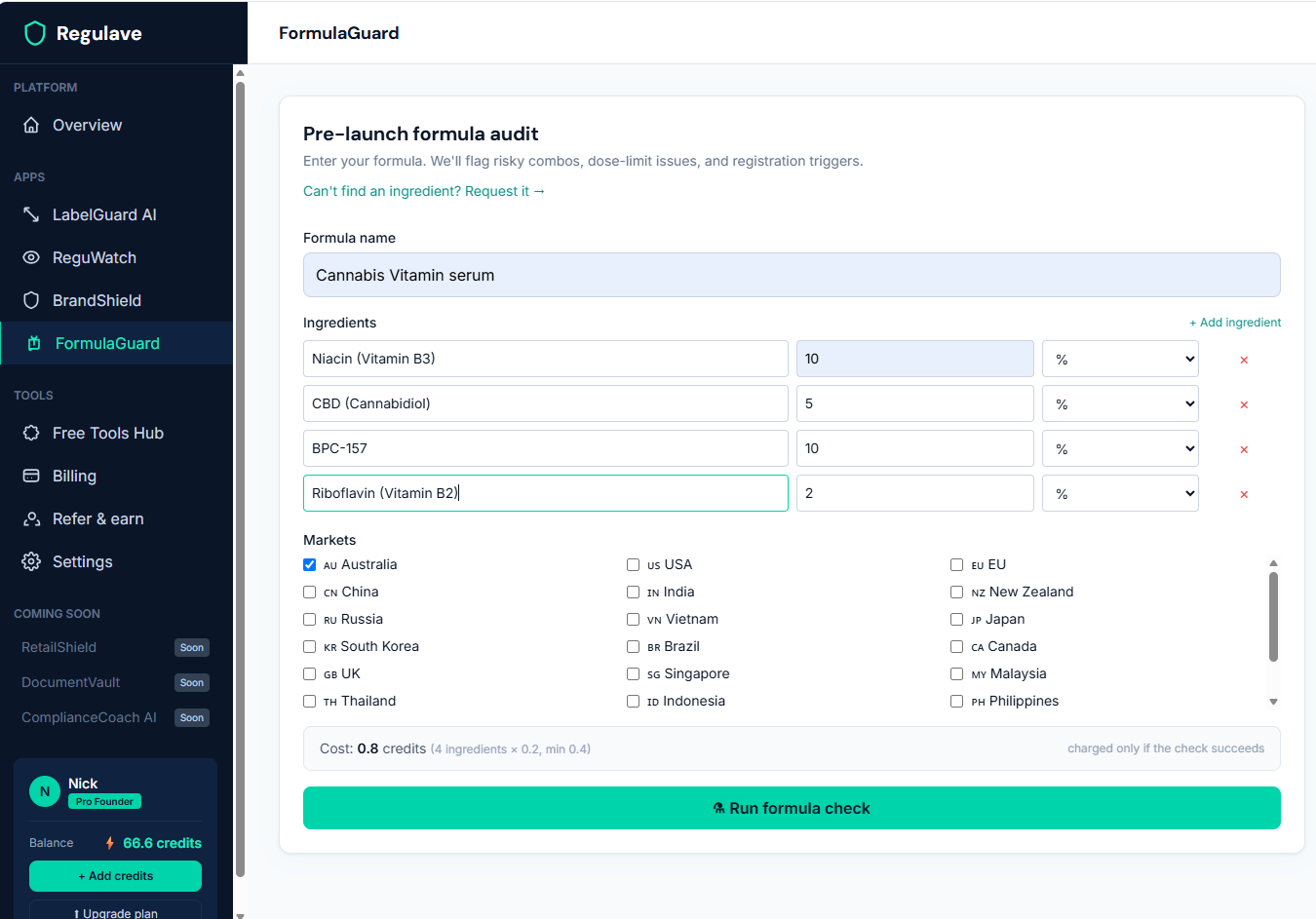
Open FormulaGuard in the sidebar and paste your ingredient list. One per line works well, and including the dose (e.g. "Caffeine 200 mg") gives a sharper result, because some restrictions depend on dose.
Step 2 — Select your markets
Choose the markets you intend to sell into. FormulaGuard checks each ingredient against every market separately — the same substance can be a permitted supplement ingredient in one market and a scheduled or prescription-only substance in another.
Step 3 — Run the check and read the results
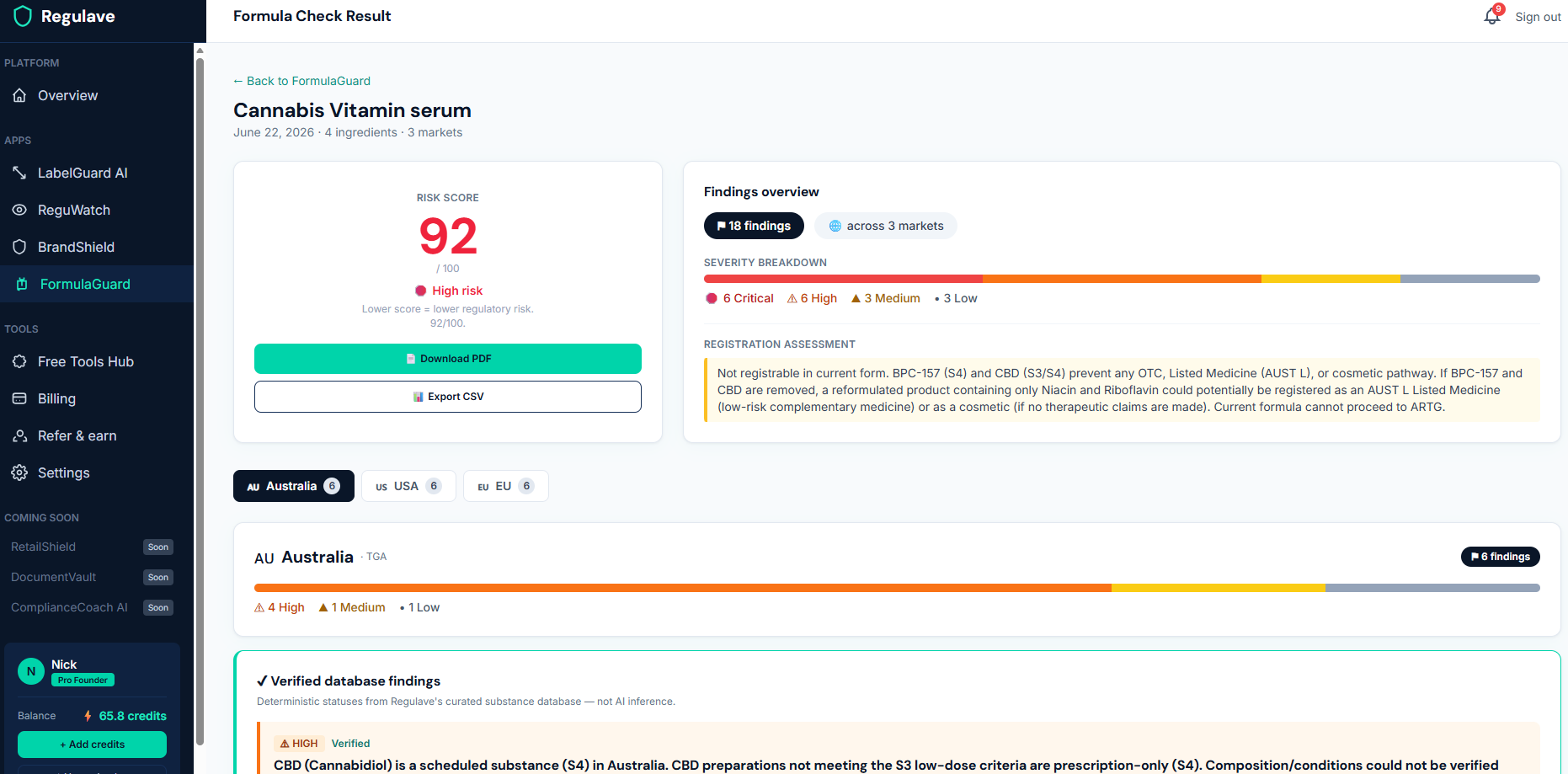
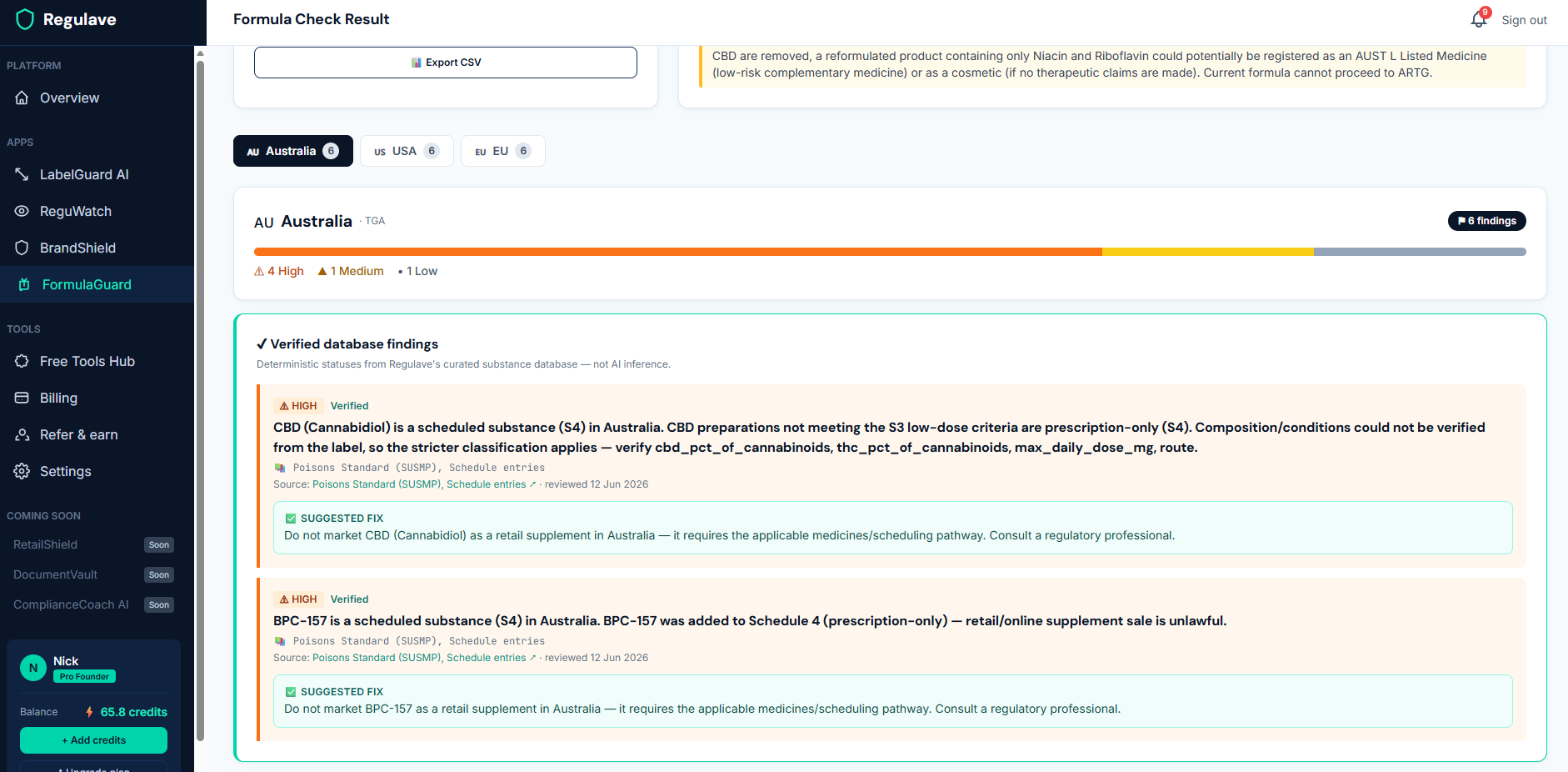
FormulaGuard cross-references your ingredients against our substance database and flags anything of concern. Where an ingredient is in our verified database — for example a scheduled substance or a regulated cannabinoid — you'll see its status for each market, the conditions or thresholds that apply, and a link to the primary regulatory source. Ingredients we don't yet hold are still assessed, with the relevant law cited in the finding.
Step 4 — Understand the "database findings"
FormulaGuard separates database findings (deterministic status from our verified substance data, with sources and review dates) from broader AI assessment. The database findings are the authoritative, sourced part — they tell you, with a citation, where a substance is scheduled or restricted. This is the same substance data that backs LabelGuard, so the two tools agree.
What it costs
- 0.2 credits per ingredient (minimum 0.4 per check).
- You're only charged when a check completes successfully.
A few tips
- Include doses where you can — some statuses are dose-dependent, and a dose lets FormulaGuard be more precise.
- Check before you finalise a formulation, not after — that's the whole point, catching a problem ingredient while it's still cheap to change.
- A "permitted" result is not a clearance. FormulaGuard flags risk; it never certifies a formula as safe to sell. Where it can't confirm something, it errs toward flagging. It's guidance, not legal advice — confirm anything high-stakes with a regulatory professional.
Don't see an ingredient?
If an ingredient isn't in our database yet, you can request it — we research it, verify it against the primary source, add it, and notify you when it's live, so your next check picks it up.