Getting started with BrandShield
Audit social posts, ads and web pages for risky claims — and monitor them weekly.
Getting started with BrandShield
BrandShield checks your marketing and social content for compliance problems — therapeutic claims, banned-ingredient mentions, missing disclosures — across the markets you sell into. Paste a caption, an ad, or a product description, or point it at a public web page, and you get an audit in under a minute. This guide covers your first audit, how to read it, and how the weekly monitors work.
Before you start
You'll need the content you want to check — either the text itself (a caption, an ad, a product-page description) or the URL of a public web page. An audit costs 0.3 credits, shown before you run it.
Step 1 — Open BrandShield and choose how to submit
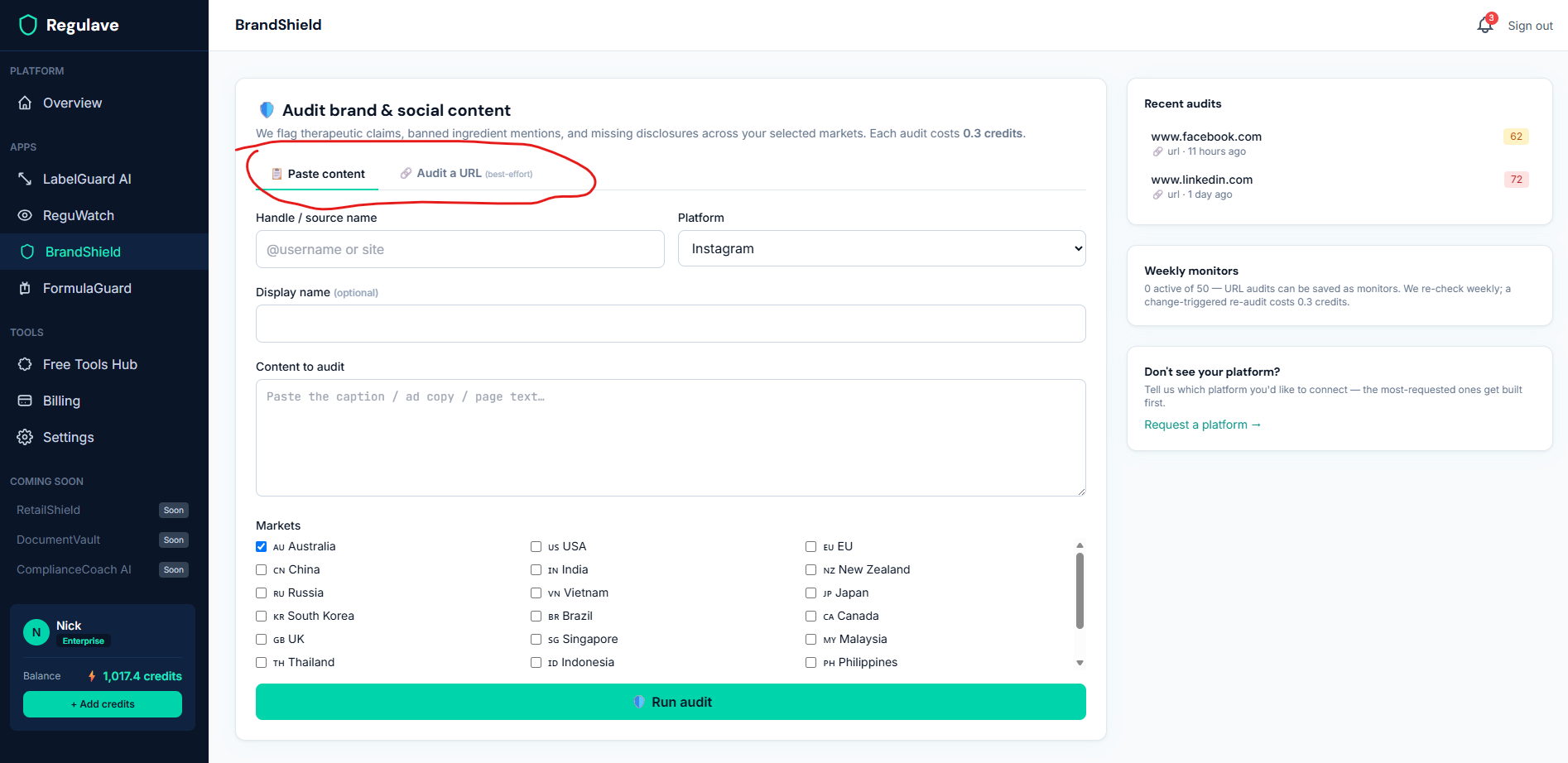
Open BrandShield in the sidebar. You have two tabs:
- Paste content — paste any text directly. This always works and is the most reliable option.
- Audit a URL — give a public web page address and we fetch the text for you.
Step 2 — A note on what URLs can and can't be fetched
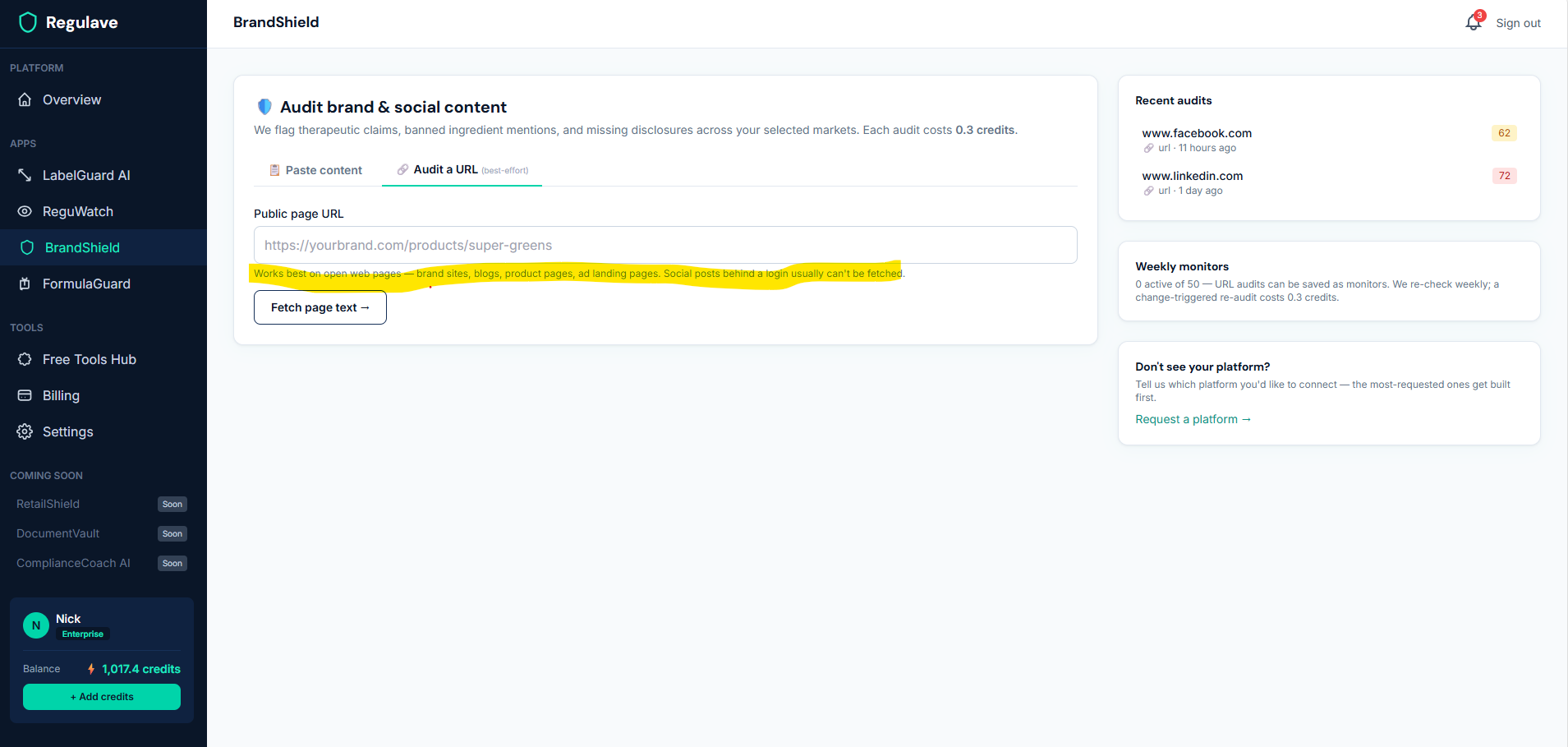
Be aware of a real limitation, because it saves you frustration: the URL fetch works well on open web pages — your own brand site, blog posts, product pages, ad landing pages. It generally cannot read social posts behind a login — Instagram, Facebook, and TikTok serve a login wall or a script-heavy page our fetcher can't see, and LinkedIn is hit-and-miss. If a URL can't be read, BrandShield tells you and you simply paste the text instead — which always works. So for social posts, copy the caption and use Paste content.
Step 3 — Confirm the text and select markets
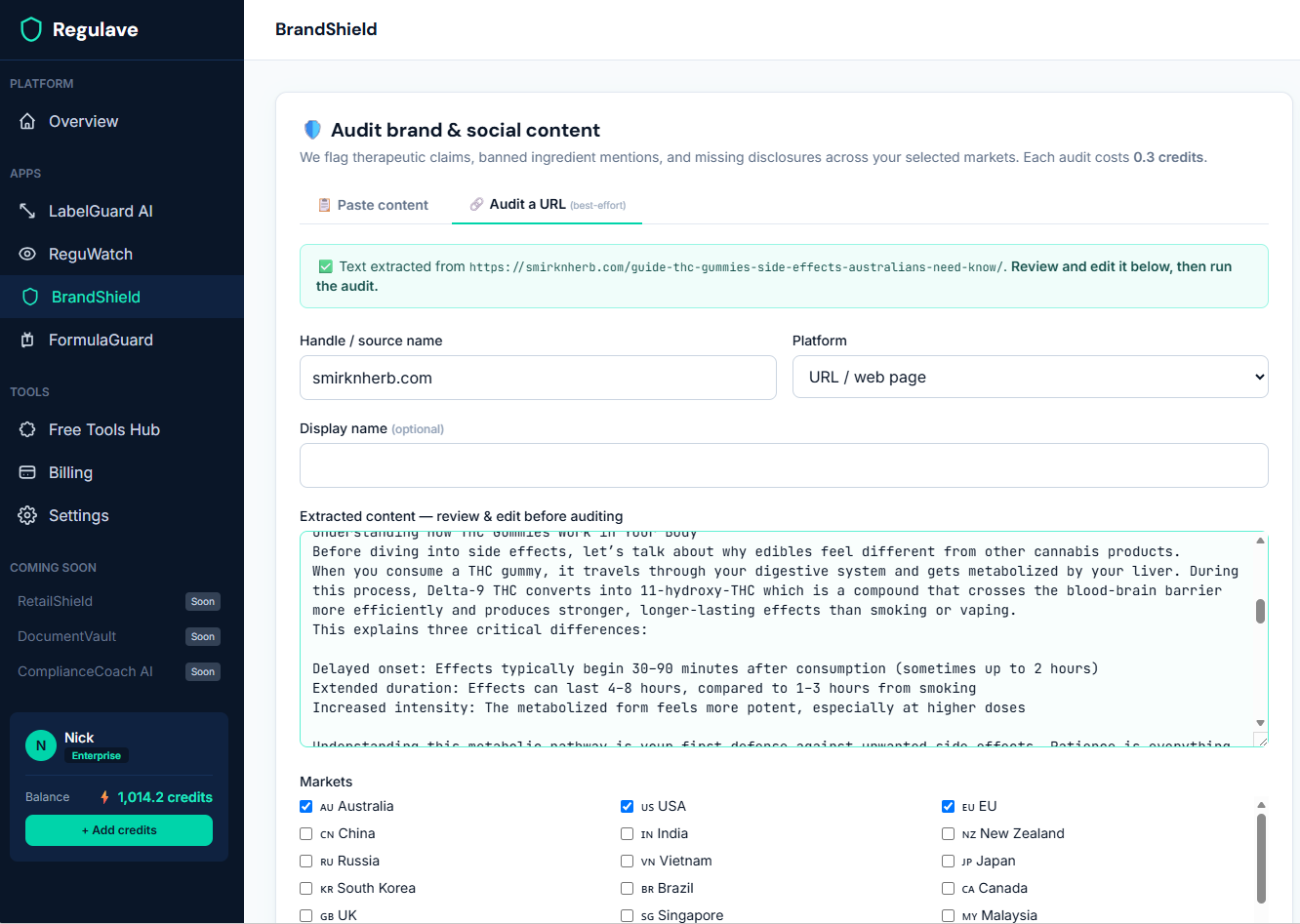
If you used a URL, BrandShield shows you the text it extracted and lets you edit or confirm it before the audit runs — so you're never auditing the wrong text, and you're never charged for a bad fetch. Pick the markets you want the content checked against.
Step 4 — Read your audit
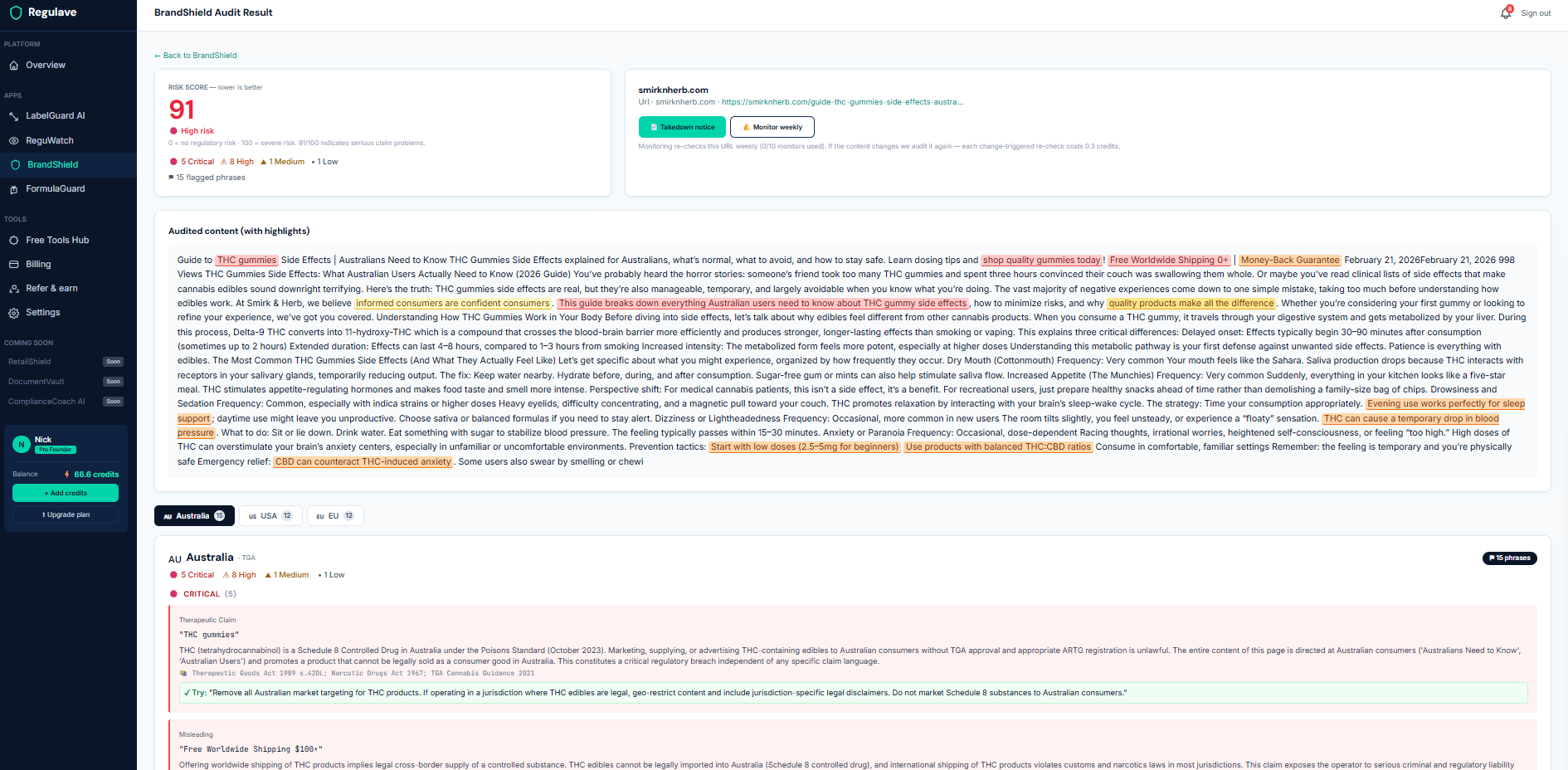
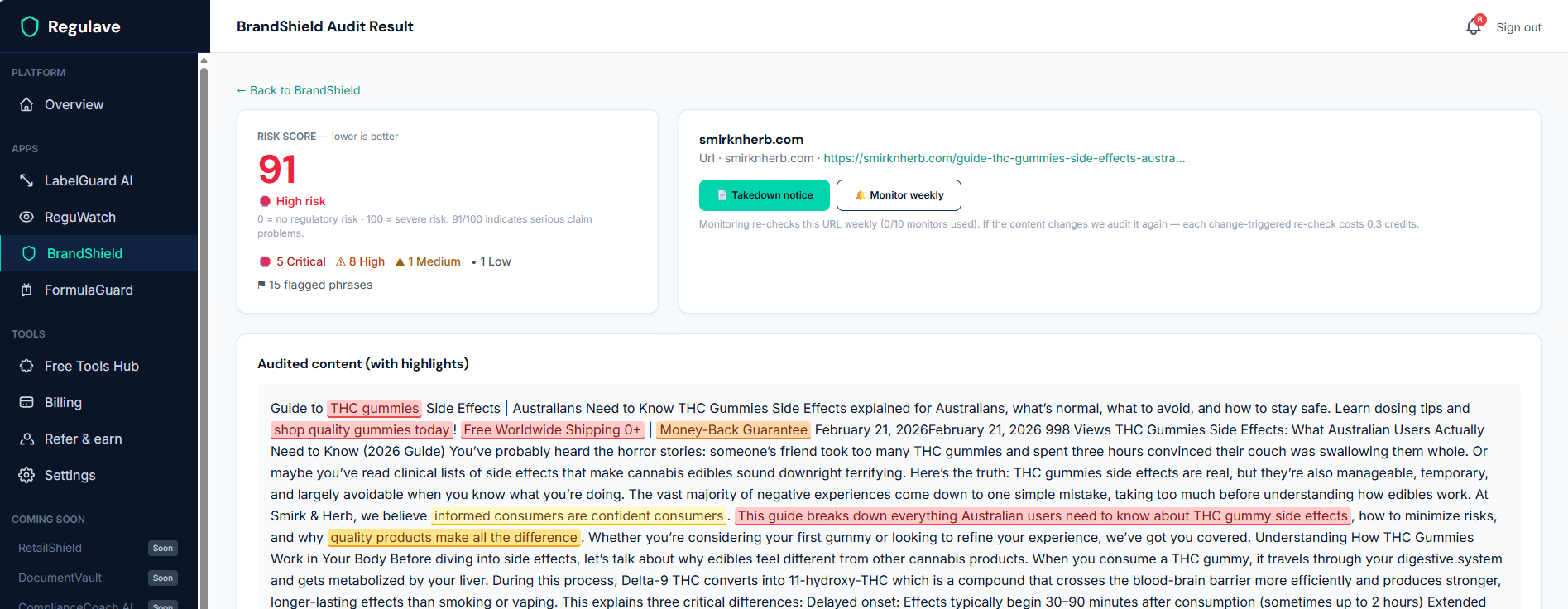
BrandShield returns a risk score — lower is better (the opposite direction to LabelGuard's compliance score, so read the label, not just the number), with the flagged phrases sorted by severity. Each flag shows the risky wording, why it's a problem in that market, the regulation it relates to, and a suggested compliant alternative.
Step 5 — Save a URL as a weekly monitor
For a page you want to keep an eye on — your own product page, or an affiliate's landing page — you can save a URL audit as a weekly monitor. Each week BrandShield re-checks the page; if the content has changed, it runs a fresh audit and notifies you. If nothing changed, nothing happens and you're not charged. A change-triggered re-audit costs 0.3 credits, and your plan sets how many monitors you can run at once.
What it costs
- 0.3 credits per audit (paste or URL).
- Weekly monitors are free to keep; a re-audit is only charged (0.3) when the page actually changes. No change, no charge.
- A failed URL fetch is never charged.
A few tips
- For social posts, paste the caption — don't fight the URL fetch on platforms that block it.
- Audit against every market the content will reach — a claim that's fine in one market may be a therapeutic claim in another.
- Use the suggested alternatives as a starting point for compliant wording, not a guarantee — and for high-stakes campaigns, confirm with a regulatory professional. BrandShield is guidance, not legal advice.
Want live monitoring of your social platforms?
Direct connections to platforms like YouTube, Instagram, and TikTok — so your own posts are audited automatically — are something we build based on real demand. If there's a platform you'd want connected, use "Request a platform" on the BrandShield page and tell us; the most-requested ones get built first.